Introducing spotlight-md
spotlight-md is a local Markdown review server built for collaboration between people and AI agents. It combines a dark browser-based preview, live reload, and persistent highlight threads without adding review metadata to the Markdown itself.
Why I Built It
I often find myself collaboratively editing Markdown files with an AI. But I haven't found a great way to do that in a way that works for me.
If I am in full manual mode, I'll use Emacs. If I am in full auto mode, I am telling a coding agent the type of edits to make. This full auto style makes sense for big-picture changes, e.g. "put in sample Python code in each subsection." But as the edits get more and more targeted, telling an agent what to do gets exponentially more inefficient. Prompting an LLM with 'use a different adjective in the concluding sentence in the last paragraph' is kind of ridiculous and might not get you what you want.
Simultaneously, I think that we are barely scratching the surface of how to interact with LLMs.
Getting Started
I typically live in agentic harnesses. I split my time between Codex, Claude, and OpenCode with just about an even split between the three of them. I try to use all of the major tools and not get too fixated on a particular one. They're all innovating so quickly.
From inside my coding agent, say I have a file I want to edit. I tell the agent:
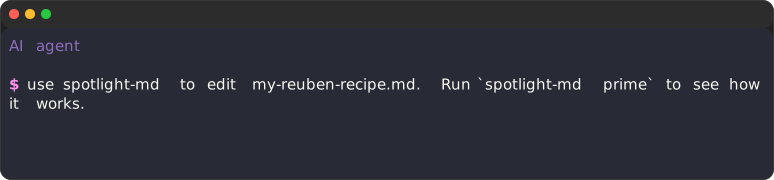
NOTE: Have a prime command for every tool you write that tells agents what to do with the tool.
This ensures a consistent experience.
The agent will read the prime command, and then run spotlight on my-reuben-recipe.md.
The agent will run the following command:
spotlight-md --auto --theme dracula my-reuben-recipe.md
This will open a browser window connected to http://localhost:7231/spotlight/Users/stephen/recipes/my-reuben-recipe.md.
This will also issue a session ID.
From the web interface, I can make highlights. Each highlight made from the web interface is assumed to come from a human.
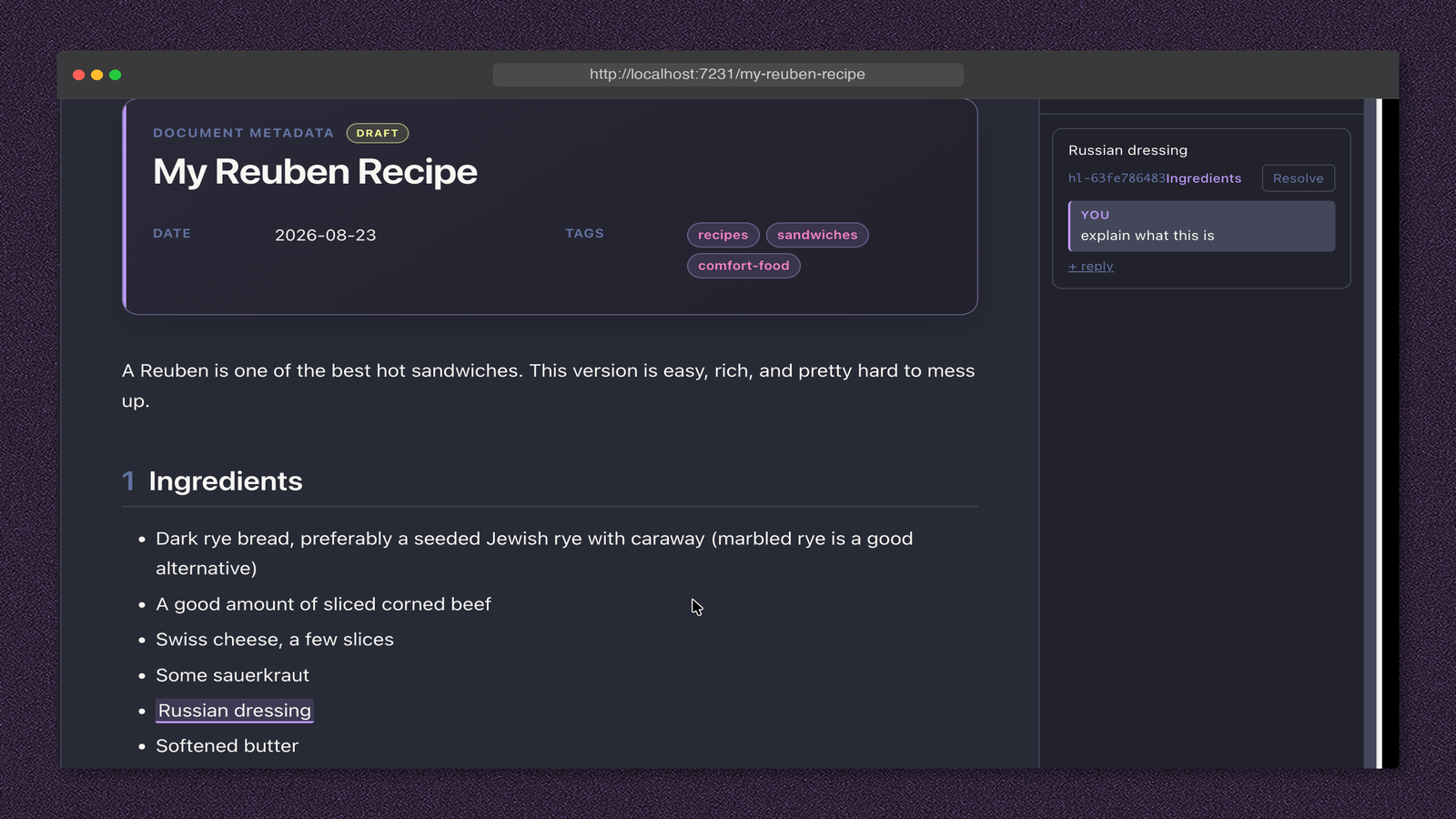
The AI agent can then run:
spotlight-md get-new-comments \
  --session-id sp-8a5066bca2 \
  --agent-id codex-reuben-editor \
  --json
and they will get this output:
[
    {
      "id": "hl-63fe786483",
      "text": "Russian dressing",
      "sectionId": "ingredients",
      "sectionTitle": "Ingredients",
      "scope": "text",
      "resolved": false,
      "completed": false,
      "createdAt": "2026-08-23T21:53:04.094Z",
      "messages": [
        {
          "id": "msg-997579",
          "author": "human",
          "text": "explain what this is",
          "createdAt": "2026-08-23T21:53:04.094Z",
          "seq": 0
        }
      ]
    }
  ]
This seems a bit verbose, but it's meant for agentic consumption.
What it is saying is that I highlighted the text Russian dressing and said "explain what this is."
The AI can then respond to the comments.
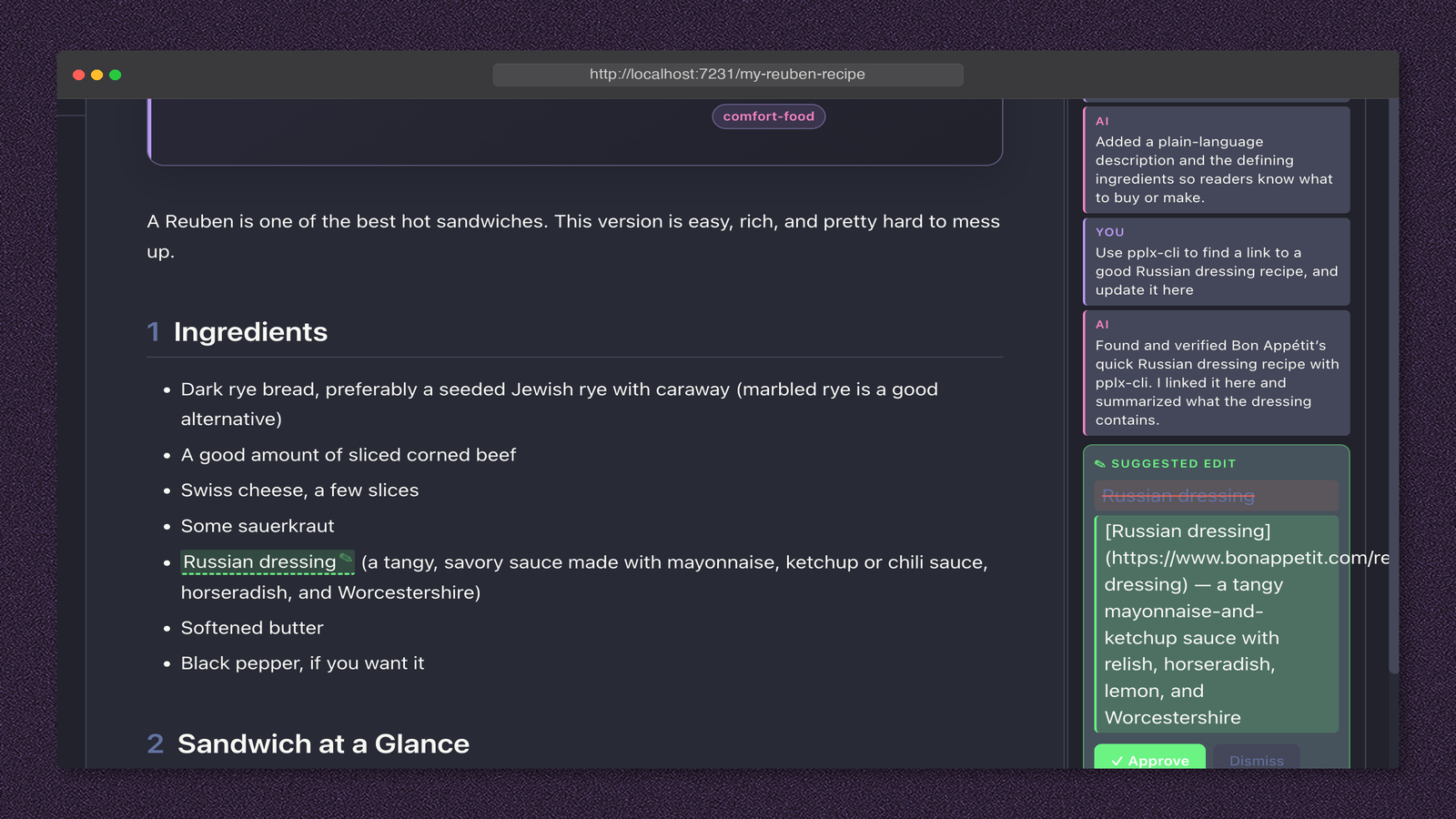
I can go through and make a couple of highlights and then tell my agent - 'please address my comments'. The agent is instructed to go through the comments one at a time, claim them, work on them, and then put a suggested edit in the comments.
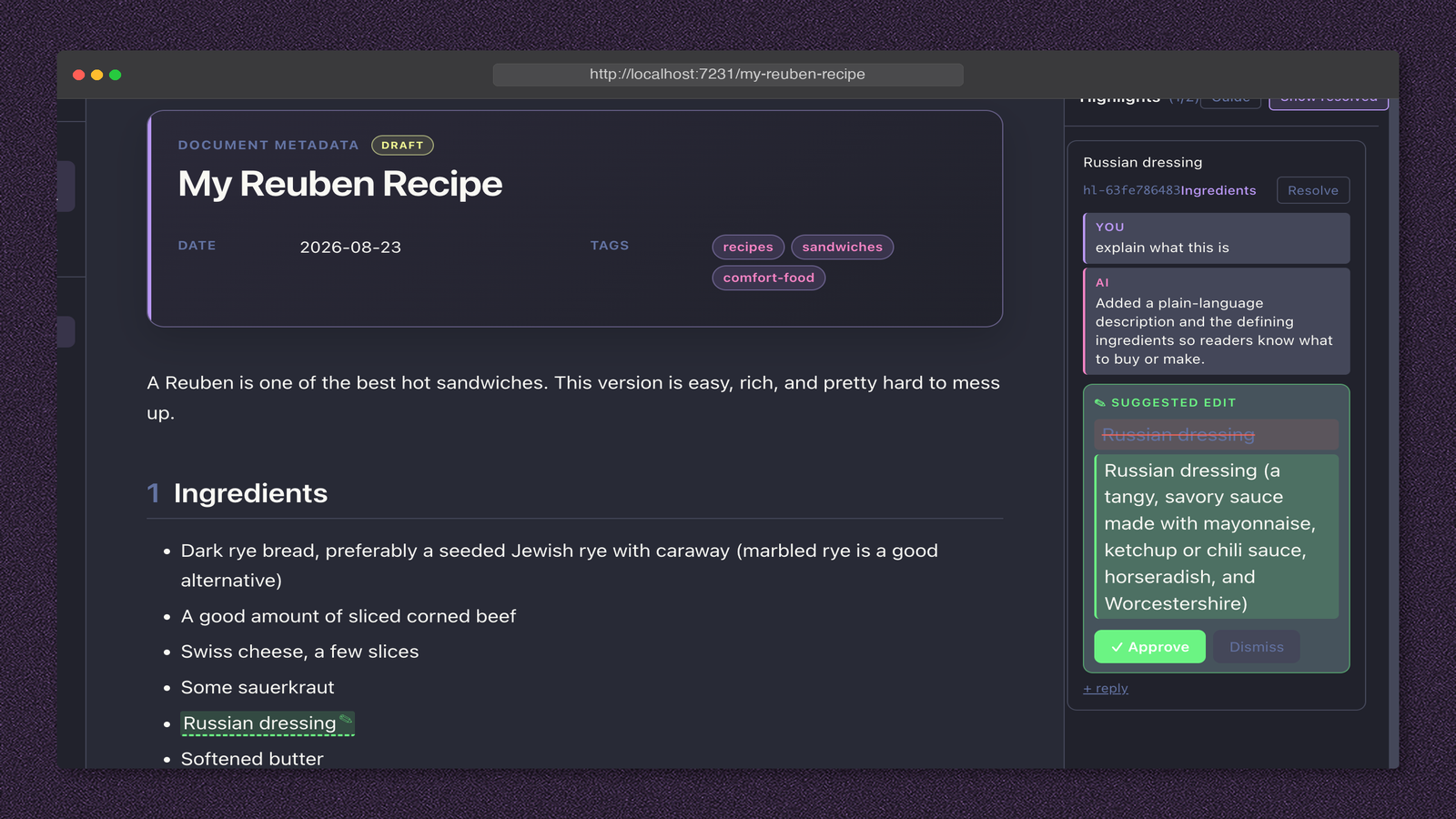
I have found that this is game-changing. It is exactly the flow and the auditability that I want. Plus, the whole thing is backed by my agent, so it has the skills and context and MCP servers already loaded.
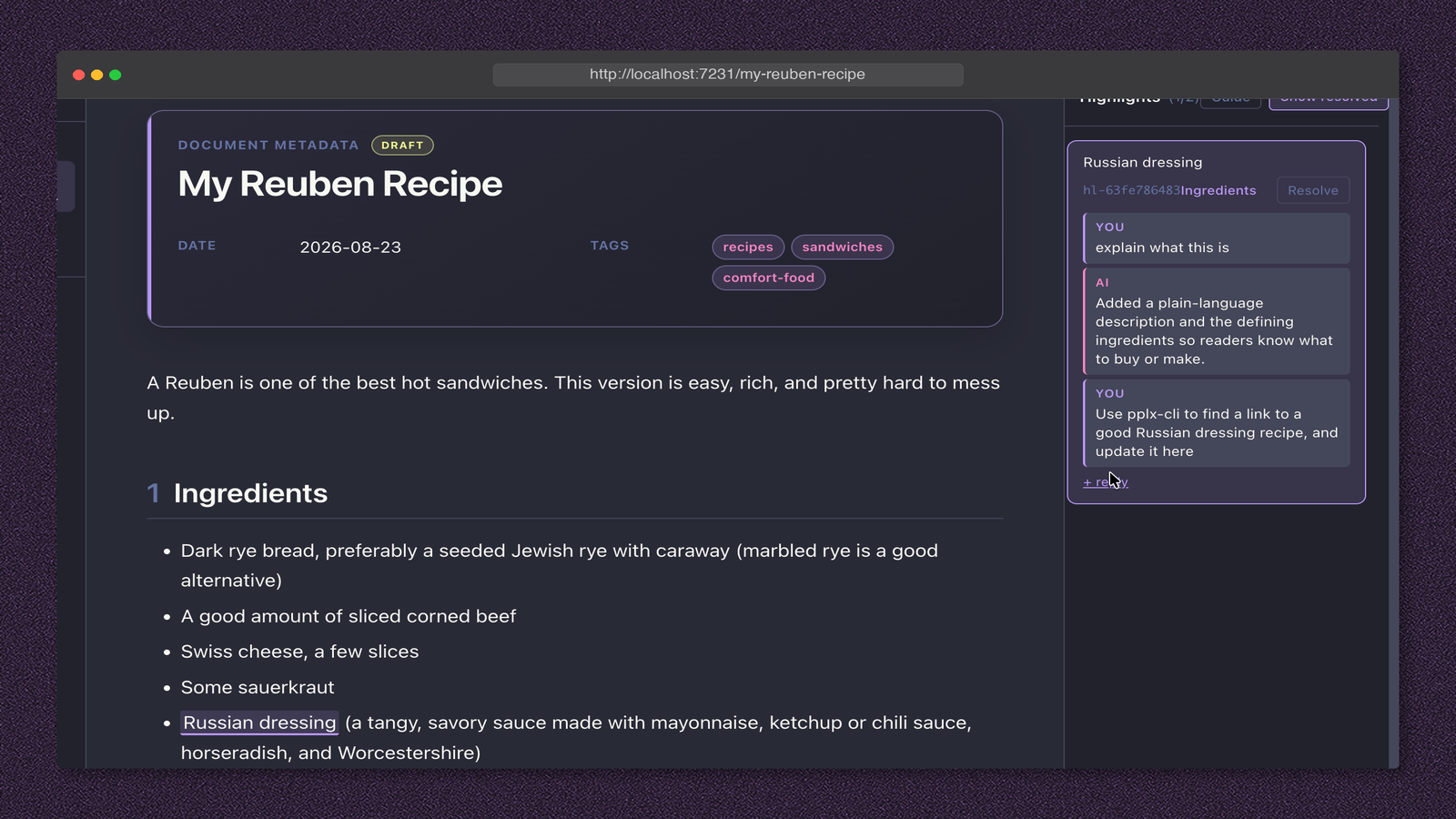
In this example I am showing that I am asking it to use my Perplexity CLI tool to find a good Russian dressing recipe and update this with the link. Anything that my agent can do, I can tell it to do from these comments.
The Human–AI Review Loop
This flow is cool, but it still requires me to tell my agent to check the comments.
Luckily, we can make the tools we want.
I added in a --wait flag.
With this flag, the tool returns as soon as a comment is made.
flowchart TD
    A["Agent calls get-new-comments<br/>with --wait --json"] --> B{"Unread comment available?"}
    B -- Yes --> C["Return comments immediately"]
    B -- No --> D["Wait for a comment or timeout"]
    D -- "Comment arrives" --> C
    D -- Timeout --> E["Return an empty array"]
    C --> F["Agent claims and addresses the comment"]
    F --> A
    E --> A
The agent handles comments one at a time. When it claims a highlight, that exact passage gets a live “thinking” pulse in the browser, which shows me where the agent is working and signals that the thread is already in progress.
When the agent replies or proposes an edit, Spotlight releases the claim and briefly flashes the passage green. The thread then shows the agent’s response and, for a suggested edit, an inline before-and-after with controls to approve or dismiss it. The claims interface makes the whole loop observable: I can see what is waiting, what is being worked on, and what needs my decision.
Review History Without Polluting Markdown
This is the part that I am very excited about. Over time, as I use this tool, I am building up a precise database about how I give feedback to AI for the purpose of writing.
Do I know what I am going to use this for? I have no idea. But this kind of data will surely have value and I can store it now, mine it later.
What I Learned Building spotlight-md
- The interface between human editing and AI text can be very, very fluid.
- Coding harnesses are probably some of the most powerful windows into LLMs that we have at the moment, and we can build tools around utilizing them effectively.
- Take advantage of the fact that you have a browser. You can host things locally with dynamic interfaces and this can all end up, from the agent's perspective, as a Bash program that either returns or not. This paradigm can be very, very powerful.
Most importantly, customize your tools to meet your needs.
Could I have done this in something like an IDE? Probably, but I wouldn't know where the data goes and I don't live in an IDE. I live in coding agents. With this tool, I get exactly the interface that I want.
Resources
Go check out the repository here.