The Prius of GasTown
Cross-posted from Substack
Running GasTown Efficiently
I first learned about Gastown at the February AI Tinkerers meetup in Seattle, Washington. AI Tinkerers is an awesome community which has chapters all over the globe.
The famous Steve Yegge was there, and he presented his vision for Gastown - an agentic orchestration framework which has agents for writing code, other agents for checking on the workers, a merge queue agent, and so much more. The five minutes allowed by AI tinkerers was simply not enough time to give full justice to the idea but it certainly planted the seeds. That night when I got home I read his Medium post "Welcome to Gastown" and was completely intrigued.
A couple of days later I had a chance to play with Gastown on one of my personal projects. After learning the lingo, I was very quickly "slinging" work to "polecats", which is Gastown terminology for assigning work to workers. There are many other great Getting Started with Gastown tutorials that I can point you towards so I will let those other tutorials speak for themselves. My favorite 'how to install GasTown' blog post is How to Use and Set Up GasTown in 10 Minutes, from Shinzo Labs.
Spec-Driven Work
As an aside I have found that when I'm working on personal projects I will create a directory in there called specs. If I find that one of my personal projects needs either a bug fix or a new feature, I will quickly ask whatever agent I'm using at the time to create a spec which describes the issue. Some of them are detailed and some of them are literally a sentence and a note for myself to expound on it later. I think this has been a great idea in practice because I don't want to slow down to create a formal GitHub issue. I just want to make sure that it's captured somewhere and then move on. I found that in one of my personal projects I had about 40 unimplemented specs.
Hitting the Gas in Gastown
To really put Gastown through its paces I pointed the Mayor, the lead agent and point of contact in Gastown at the set of specs and I asked it to organize them into a logical sequence. At this point I was using Opus 4.6 as my Mayor and it created a set of seven phases with the specs logically sequenced within these phases. Some of the specs it were subdivided into parts A, B, and C and so forth. What I was left with was about 70 distinct pieces of work. When comparing this to some of these pieces of work, some would be a full feature whereas other ones were bug fixes or intermediate changes that needed to occur in order to implement a future feature.
I pointed it at my directory of specs and had the Mayor organize the specs into a set of logical phases. The idea of this is that certain specs should be done in a certain order to make merging easier later on and that the specs can build on each other.
Then I spent the next couple of hours interacting with the Mayor. I would tell it to implement a certain phase and then watch it launch all of its workers and watch the refinery merge all of these specs, all of this work back into main. It was incredible to watch. I felt like Mickey Mouse in Fantasia, directing a powerful force, over which I barely had understanding or control.

OpenCode, Opus, and the Gas Bill
By default Gastown uses Claude Code. Most of the users of Gastown are Claude Max subscribers. They use Gastown until they hit their rate limits and then either wait or switch to another account. As Steve Yegge said,
"My calculations show that now that Gas Town has finally achieved liftoff, I will need a third Claude Code account by the end of next week. It is a cash guzzler."
I'm lucky enough to be encouraged to experiment with AI and we have both a corporate Claude subscription using the API as well as access to Amazon Bedrock. Adding to that I'm a huge fan of OpenCode. Compared to Claude, OpenCode seems to decompose problems better and solve them in ways that are more token-efficient. Plus, with OpenCode you can utilize many providers including:
- Amazon Bedrock - This includes the Claude family of models as well as Kimi K2.5, Mini Max, and other Frontier models.
- OpenRouter
- OpenCode's own Zen hosting service
- Point it at your own vLLM server
I had typically been using both Claude Code and OpenCode with Amazon Bedrock, with either Opus or Sonnet. My default model at the time was Opus (spoiler alert: don't do this).
Use Bedrock with Caution
I'm a big fan of AWS. In one of my web shows, AWS Made Easy, I have spent years reviewing the latest AWS announcements. Bedrock was a big one! The great part about AWS is the ability to scale. If you keep making requests, it will serve them. If you have your AWS keys setup in your shell environment, and start claude code with CLAUDE_CODE_USE_BEDROCK=1 claude, it will use Bedrock instead of your Anthropic subscription. Similarly, if you use OpenCode you can select Bedrock as an inference provider.
The benefit of this - you will not hit rate limits. The downside: YOU WILL NOT HIT RATE LIMITS. The blast radius of your spend is basically until your AWS account manager calls you. With Anthropic subscriptions, as long as you're not using extra usage and auto recharging, your spend is bounded by the cost of your subscription.
In my case, throwing 50+ specs at my Gastown cost nearly $800. From a work perspective, getting all of these tasks done was worth the cost. But, this is not sustainable and not an efficient use of resources. In the rest of this article, we are going to talk about running Gastown for less.
Cost Efficient Models
In many ways, Opus is one of the best model out there. It's great at programming tasks and tool usage. However, there are many other models that offer comparable performance. There are many ways to compare models, but having a look at the Agentic Index Score from OpenRouter, we can see that Opus 4.6 is not always at the top, and there are other comparable models.
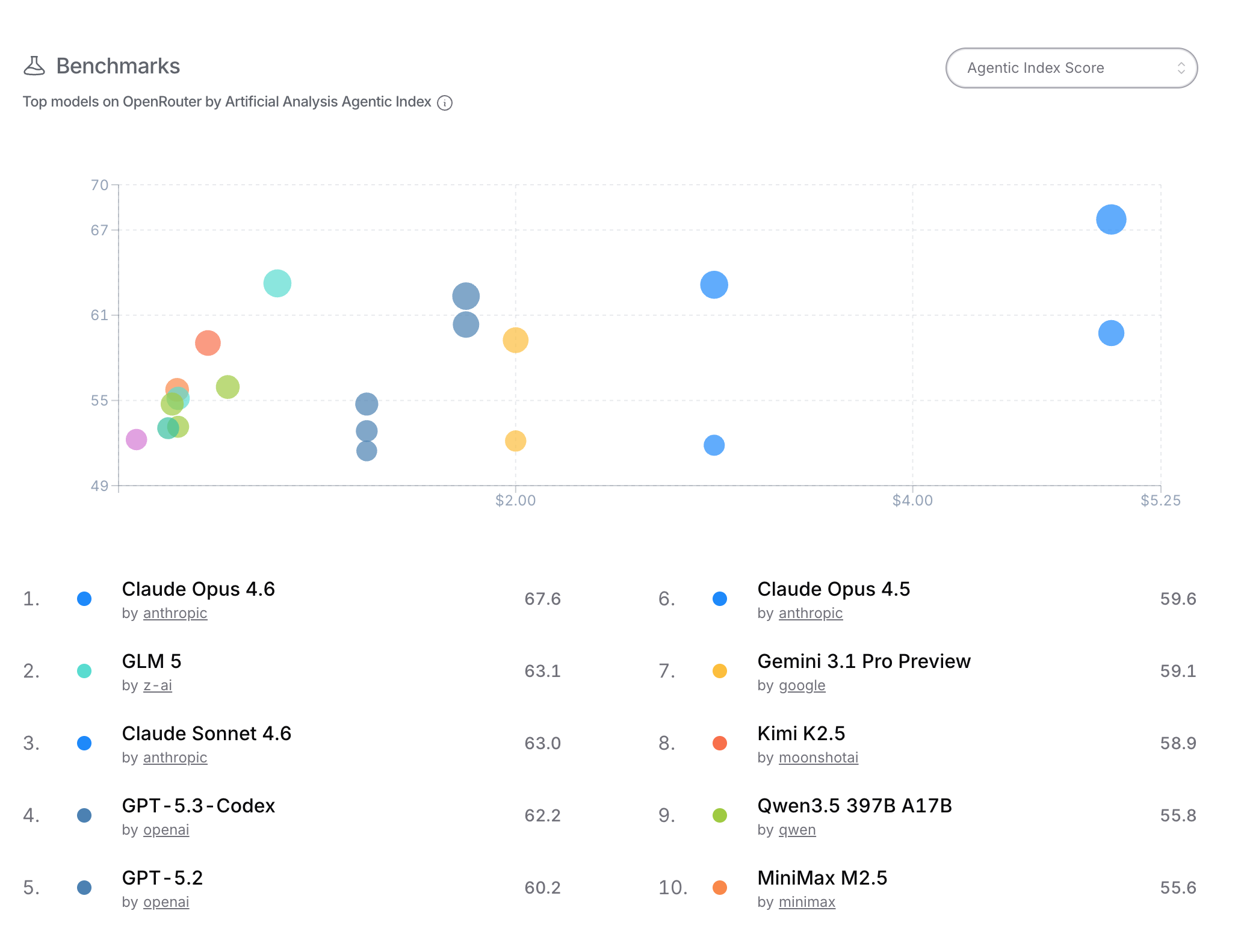
Looking at the table, we see that Opus is #1 here, but GLM-5 has a comparable score at about 1/6th the price. Kimi K2.5 is in the same ballpark, and just over half the cost of GLM-5, and less than 10% the cost of Opus 4.6. MiniMax-M2.5 is a strong contender and a great value at 0.295 $/MTok.
How to Use These Models in GasTown
Setup OpenCode
First of all, please note that there are many ways to do this. This is the way that works for me. Do the following first:
- Setup OpenCode
- Setup an OpenRouter account and get yourself an API key. (Note, you can use any provider, such as the model vendors themselves. Both Kimi and GLM have their own plans. OpenRouter is great for trying lots of different models.)
- Start up the OpenCode CLI, and then use the /connect command, and select the OpenRouter provider, and supply your API key.
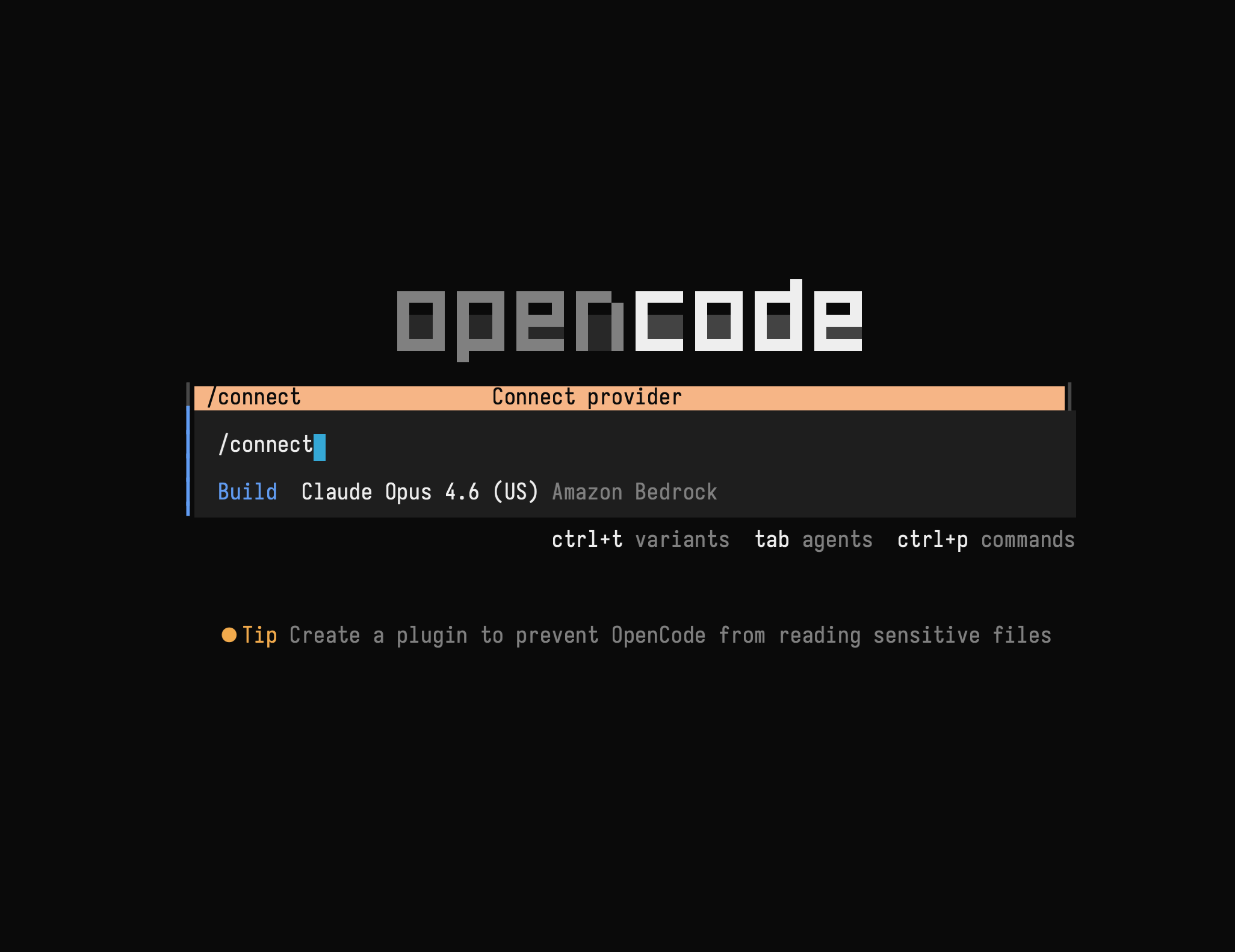
- From inside OpenCode, run the /models command, and select an OpenRouter model
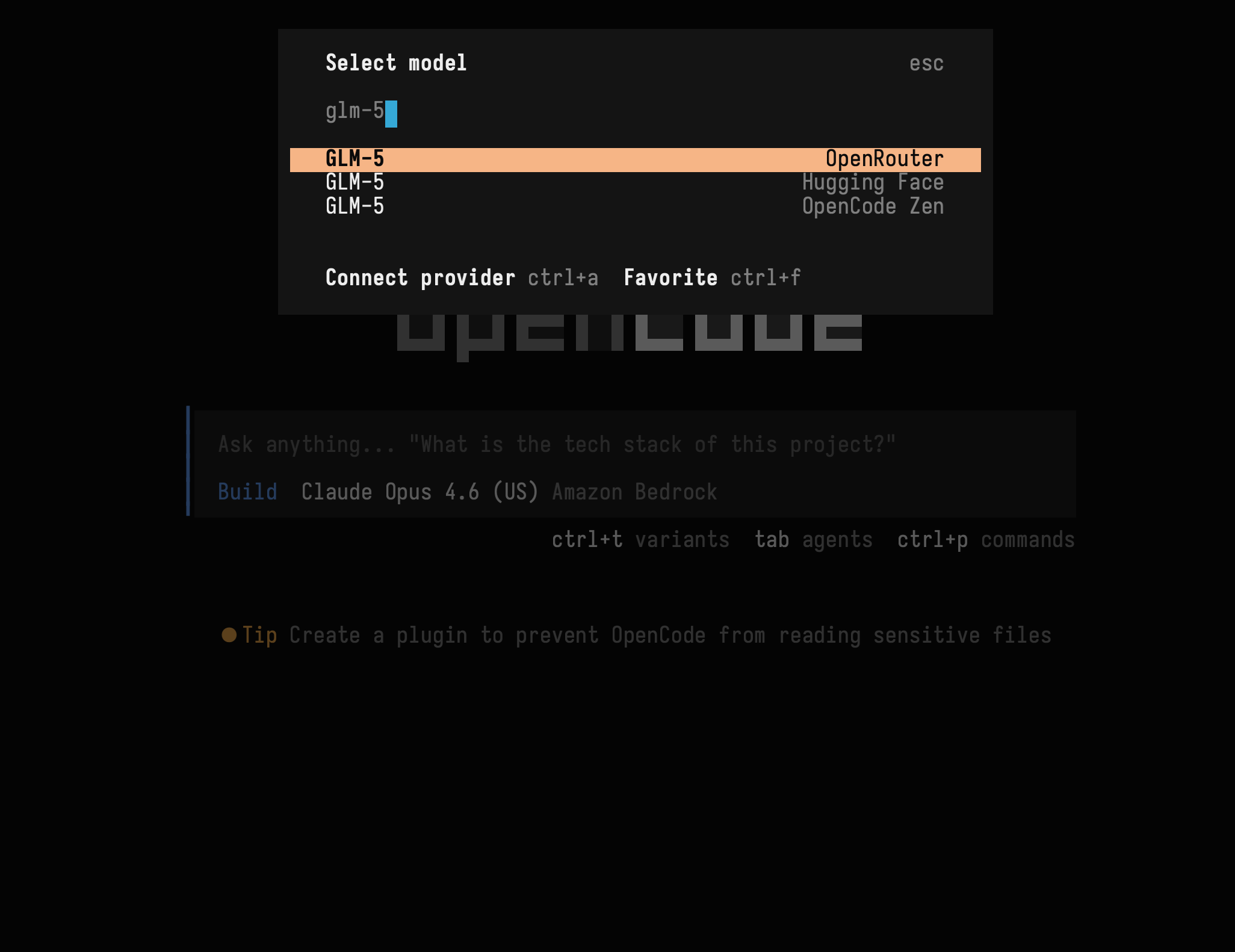
- Finally, interact with the model and make sure it works
Once you have verified this, you can go back to your shell and run the command opencode models and this will give you the list of model IDs. Importantly, to start OpenCode with a particular model, you can use the command:
opencode -m {model_id}
To start with OpenCode with GLM-5, you would do
opencode -m openrouter/z-ai/glm-5
Configure GasTown
Once you have GasTown, and assuming that it is setup in ~/gt, you will have a settings file at ~/gt/config/settings.json. This is where your agent configuration lives. You can run commands to add additional agents to this file:
gt config agent set glm5 "opencode -m openrouter/z-ai/glm-5"
gt config agent set kimi "opencode -m openrouter/moonshotai/kimi-k2.5"
This creates an agent called glm5. You can verify that this was created in the settings.json file. You do the same for the other agents.
Once you have this setup, you can start GasTown. Note that at this point, it will default to an all Claude configuration. Talk to the mayor with gt mayor attach.
At this point, you should be able to create work as normal. In GasTown terminology, you will want to create some beads of work, perhaps in a convoy (meaning, a sequence of work items). Then, you sling the work to a polecat (a worker). You can tell the mayor something like: "Create a bead to add {feature} to {my rig}, start a glm5 polecat, and sling that work to the polecat."
You can set a default agent for roles:
gt rig settings set myrig role_agents.polecat kimi
Does it work?
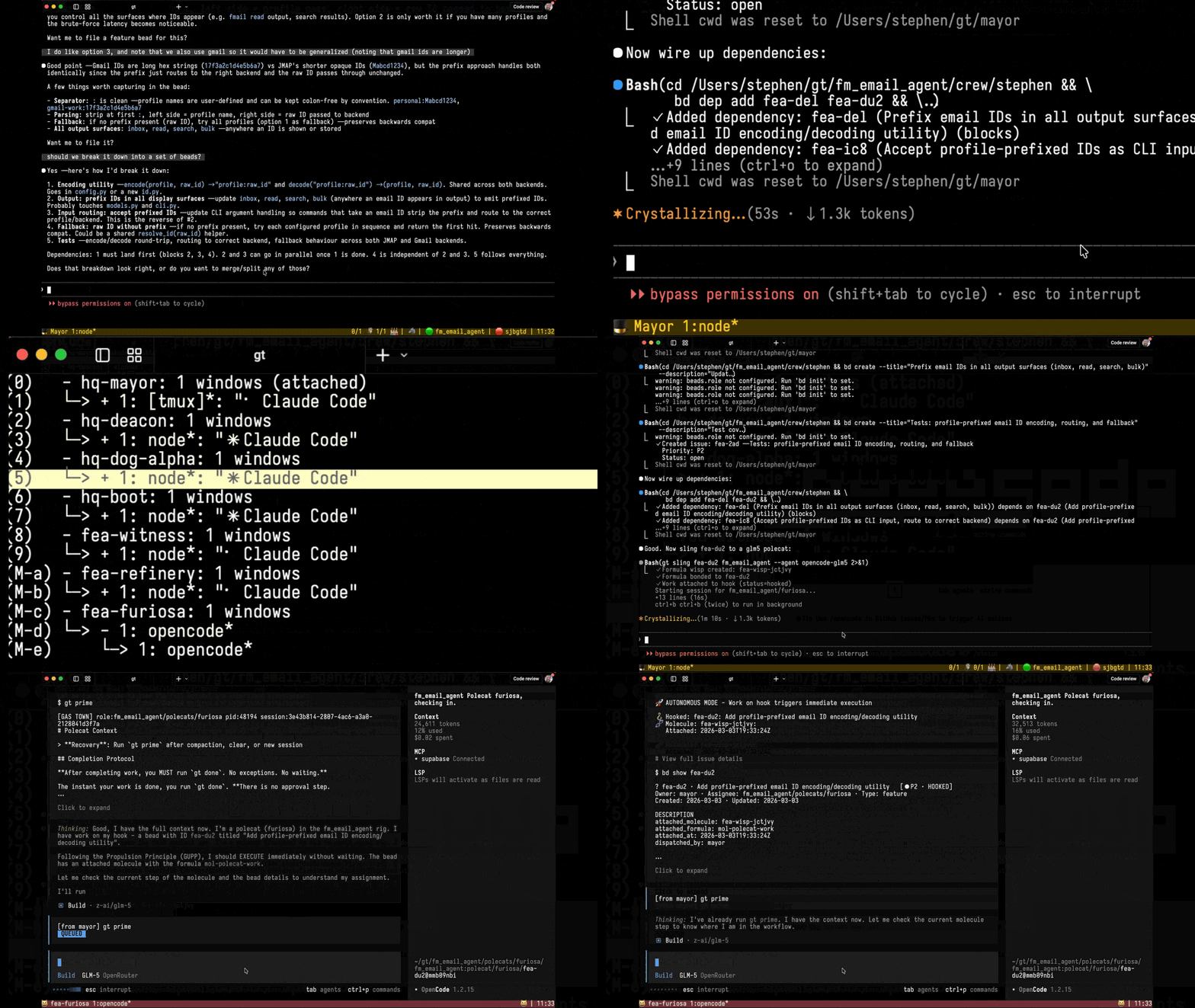
You will have to decide for yourself. But, for me, the beauty of Gastown is in the orchestration. It is not just one agent that is responsible for coding, testing, git operations, and everything else. The beauty of Gastown is that workers can work on a bead. For 99% of coding tasks, if you can decompose the problem, the individual pieces aren't complex, and well within the reach of any of the top-10 models. You could dispatch an army of expensive Opus polecats, but that just burns the budget for no reason. I have been extremely happy with GLM-5 and Kimi K2.5 polecats doing the work. I don't know about you, but I would rather spend 1/6th the cost! Have a look at this screen capture, which shows a Claude Mayor launching a OpenCode + GLM-5 polecat.
What's Next?
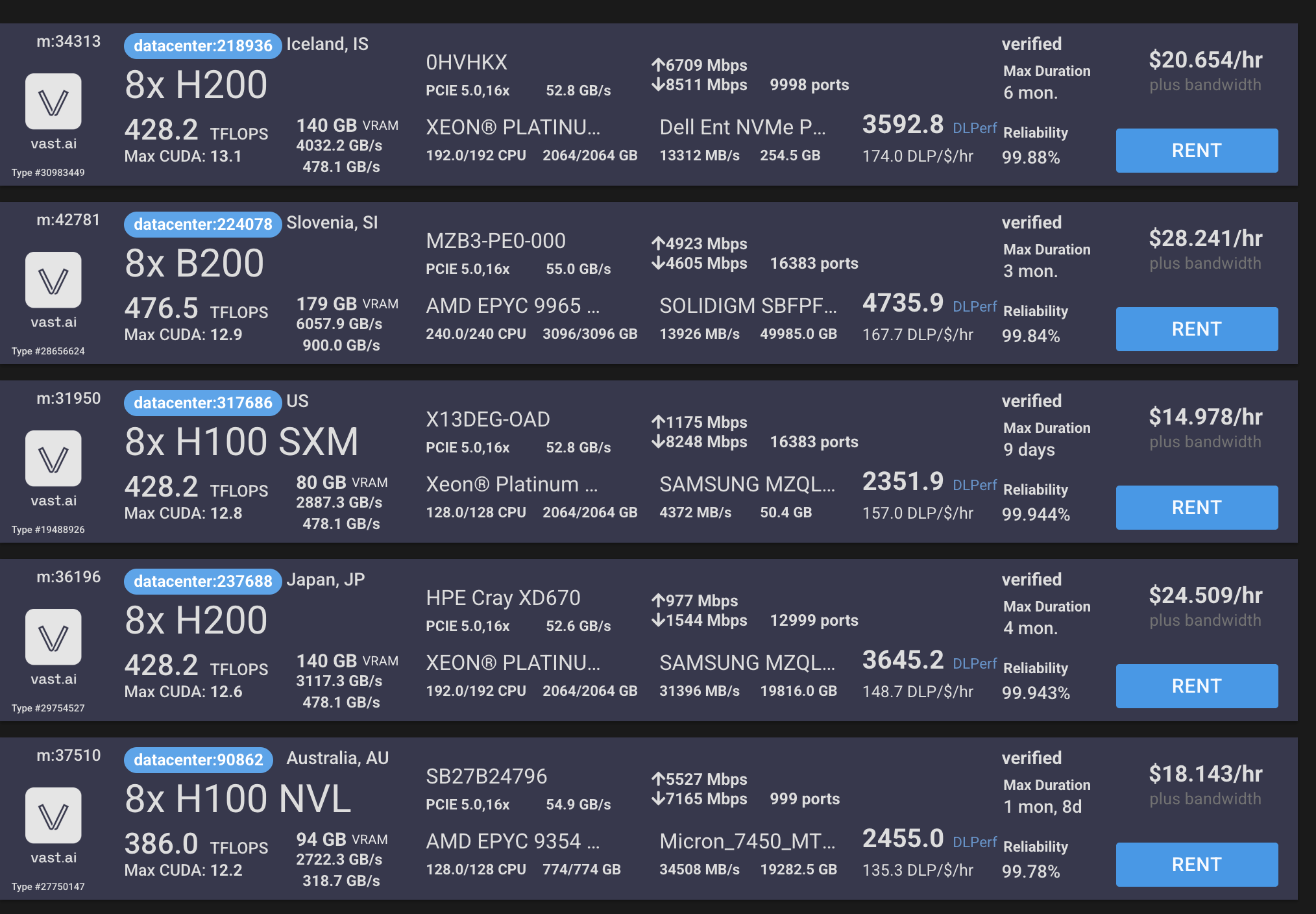
In the next article in this series, I'll show you how to self-host GLM-5 or Kimi K2.5 and run GasTown on a self-hosted instance. You can get 8xH200 machines for ~$25/hr on Vast.ai, and this would put a very hard upper bound on the cost. We can see how many specs a self-hosted LLM can run through in an hour!
I also want to investigate the right way to turn specs into beads. There is the Design to Beads Plugin that I learned about on the Gastown Discord server.
Resources
- Accompanying slides
- GasTown Hall - Find the Discord Server here